Convert multiple images online
Convert a mixed batch of JPG, PNG, WebP and BMP images to one consistent format, track each file and download the results as a ZIP.
Up to 50 files and 250 MiB in total (1 MiB = 1,048,576 bytes). The per-file limit also applies. Large dimensions or limited device memory can cause a smaller job to fail.
Drag files here
You can select multiple files at once.
JPG, PNG, WEBP, BMP · Up to 25 MB per fileThe same three files: choose PNG or JPG?
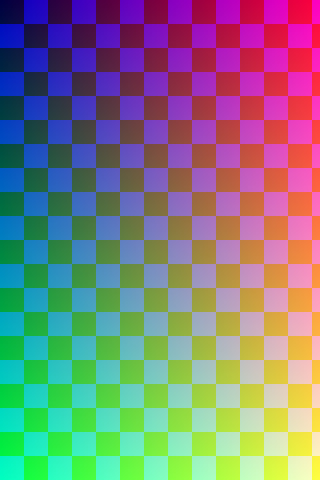
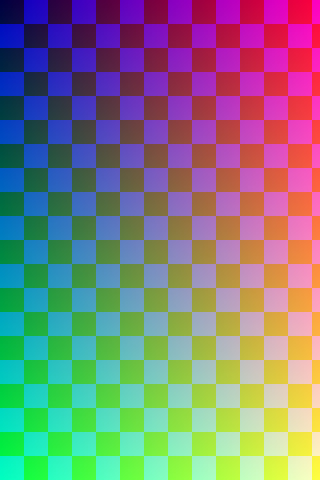
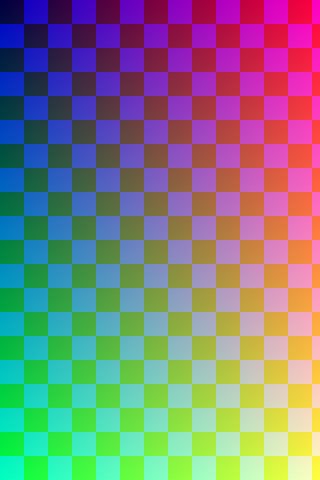
One format need not suit every file in a mixed batch. We exported three self-created PNG, JPG and WebP images to both PNG and JPG using this tool's conversion code, then collected the individual downloads and ZIPs. Open the originals and all six results below.
These downloads came from an automated Linux Chromium test of the app built from the repository, not a manual production-site observation. Both runs used the displayed default quality 82; PNG export does not use that quality value.
| Source | Source and output dimensions | PNG output | JPG output · quality 82 |
|---|---|---|---|
| Transparent and translucent graphic sample.png 1,779 B | 480 × 320 | sample.png 4,306 B | sample.jpg 2,696 B |
| Portrait JPG colour pattern sample.jpg 12,873 B | 320 × 480 | sample-2.png 166,721 B | sample-2.jpg 8,936 B |
| Landscape WebP colour pattern landscape.webp 2,702 B | 640 × 360 | landscape.png 9,245 B | landscape.jpg 26,986 B |



Download ZIP of 3 PNGs (180,640 B)Download ZIP of 3 JPGs (38,986 B)
Each ZIP contained three outputs, byte-for-byte identical to the individual downloads. The two sources named sample became sample and sample-2. Names can depend on input order and existing results, so check them in your own batch.
If you need transparency, inspect the PNG result


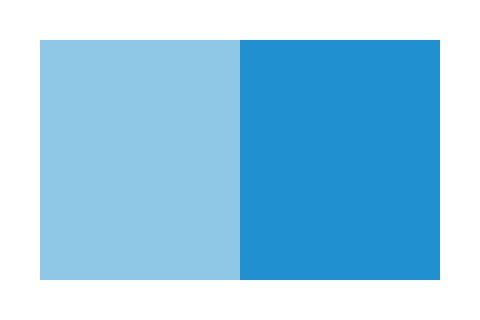
The checkerboard is the page background, not pixels added to the files. Every output PNG alpha value matched its source. Every JPG output pixel was opaque; one point inside the formerly transparent border, (10, 10), was RGB (255, 255, 255). That colour check covers one point in this fixture, not colour fidelity across the image.
Choose PNG when a logo or overlay needs transparency. If JPG is required, check how it looks on white before sharing. This batch tool has no background-colour selector.
Two checks beyond the format choice
- File size: the portrait JPG source is 12,873 B; its PNG export is 166,721 B and its JPG quality-82 export is 8,936 B. Converting JPG to PNG cannot restore detail already lost. If size reduction is your goal, also try Image Compressor on a copy and compare actual size and appearance.
- Pixel dimensions: the sources remained 480 × 320, 320 × 480 and 640 × 360 even with a common output format. If a destination requires identical dimensions, use Resize Image separately.
Format references: W3C PNG specification describes alpha transparency; the WHATWG canvas export specification excludes PNG from the quality argument. A JPG or WebP quality number need not produce the same result in different browsers. The sizes above are measurements from this run only.
Try it yourself · verification scope and evidence files
- Download the three sources and select sample.png, sample.jpg and landscape.webp in that order. They are self-created colour and transparency patterns, not photographs or personal data.
- Convert to PNG and download the individual results and ZIP. Start again with the same sources and export JPG at the default quality 82. Other browsers may produce different byte counts.
- We checked file signatures, byte counts, SHA-256 and dimensions. ZIP checks covered CRC, the three entry names and exact equality with individual downloads. PNG checks compared every alpha value to the source; JPG checks covered full opacity plus RGB values of at least 253 at one border point in the first source.
This run covers three small synthetic inputs and PNG/JPG output only. It does not verify BMP, animation, large batches, metadata retention, colour fidelity or other browsers. Current limits are 50 files, 25 MiB each and 250 MiB total; one MiB is 1,048,576 bytes. Large pixel dimensions or limited memory can make smaller jobs fail.
Tested repository revision: 5c9169b7e55b838ab5a05138d70970f01c72700a. The JSON below records the browser version, timestamps, checks and file hashes. Hashes identify these files; they do not certify identical results in every environment.
Download measurements, environment and SHA-256Synthetic-source generator
The source generator runs with Node 22 or newer and sharp 0.35.3. It creates inputs only, not substitutes for the browser downloads above.
npm install sharp@0.35.3
node generate-fixtures.mjs ./sourcesFrequently asked questions
Can the batch contain different source formats?
Yes. Supported JPG, PNG, WebP and BMP files can be mixed.
What happens when one file fails?
Other files continue. The failed item shows a clear message and is omitted from the result ZIP.
Is there a fixed file count limit?
Yes: at most 50 files, with a combined input size of 250 MiB (262,144,000 bytes), plus the per-file limit shown above. Large dimensions or limited device memory can make a smaller batch fail.
File choices, tested with real outputs
We made the source files, measured the exported bytes, and published the results so you can check them yourself.